macOS app
A native SwiftUI front-end that drives the attackmap CLI and renders its
results — pick a repo, run a scan, and browse findings, exploitability, attack
paths, diagrams, and the AI review without leaving the app.
Install
Install the notarized app with Homebrew:
The cask depends on the attackmap CLI formula, so this also installs the
CLI (brew install mlaify/tap/attackmap). The app drives that CLI rather than
bundling its own engine. Upgrade both with brew upgrade. Signed and
notarized DMGs are also attached to each
GitHub release.
Requires macOS 15 (Sequoia) or later.
Build from source
You need Xcode 16+, XcodeGen and the
attackmap CLI on your PATH:
brew install xcodegen mlaify/tap/attackmap
git clone https://github.com/mlaify/AttackMap-mac.git
cd AttackMap-mac
xcodegen generate          # creates AttackMap.xcodeproj from project.yml
open AttackMap.xcodeproj   # build and run (⌘R)
Re-run xcodegen generate after pulling changes that add or rename Swift
files. See the AttackMap-mac README
for details.
Finding the CLI
The app looks for attackmap at the path set in Settings, then on your login
shell's PATH, then in /opt/homebrew/bin, /usr/local/bin and
~/.local/bin, so Homebrew, pipx and pip installs are all found.
Features
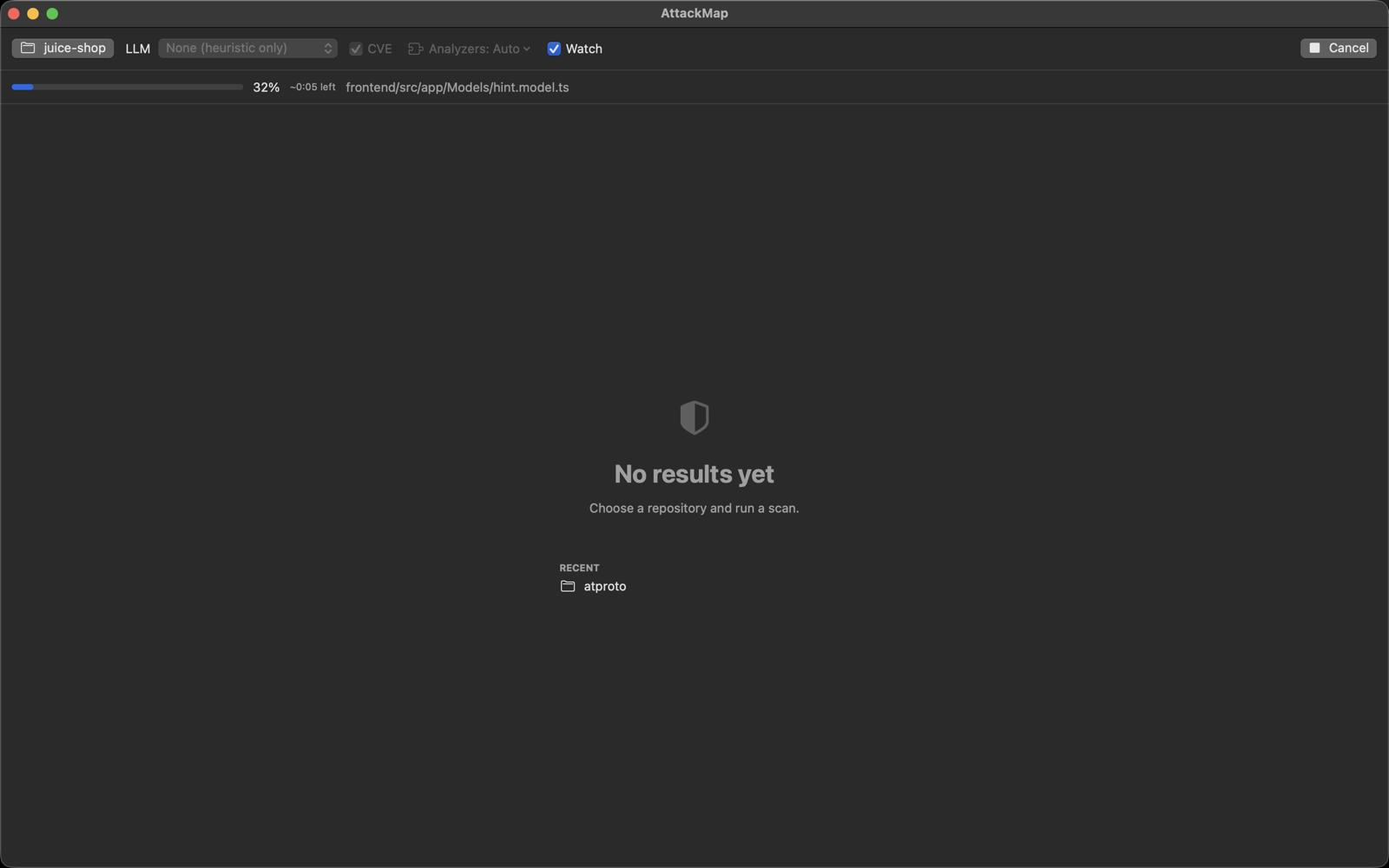
- Repo picker, Run and Cancel, with live per-file progress and ETA.
- Analyzers: Automatic (the engine picks by repo) or pin specific modules.
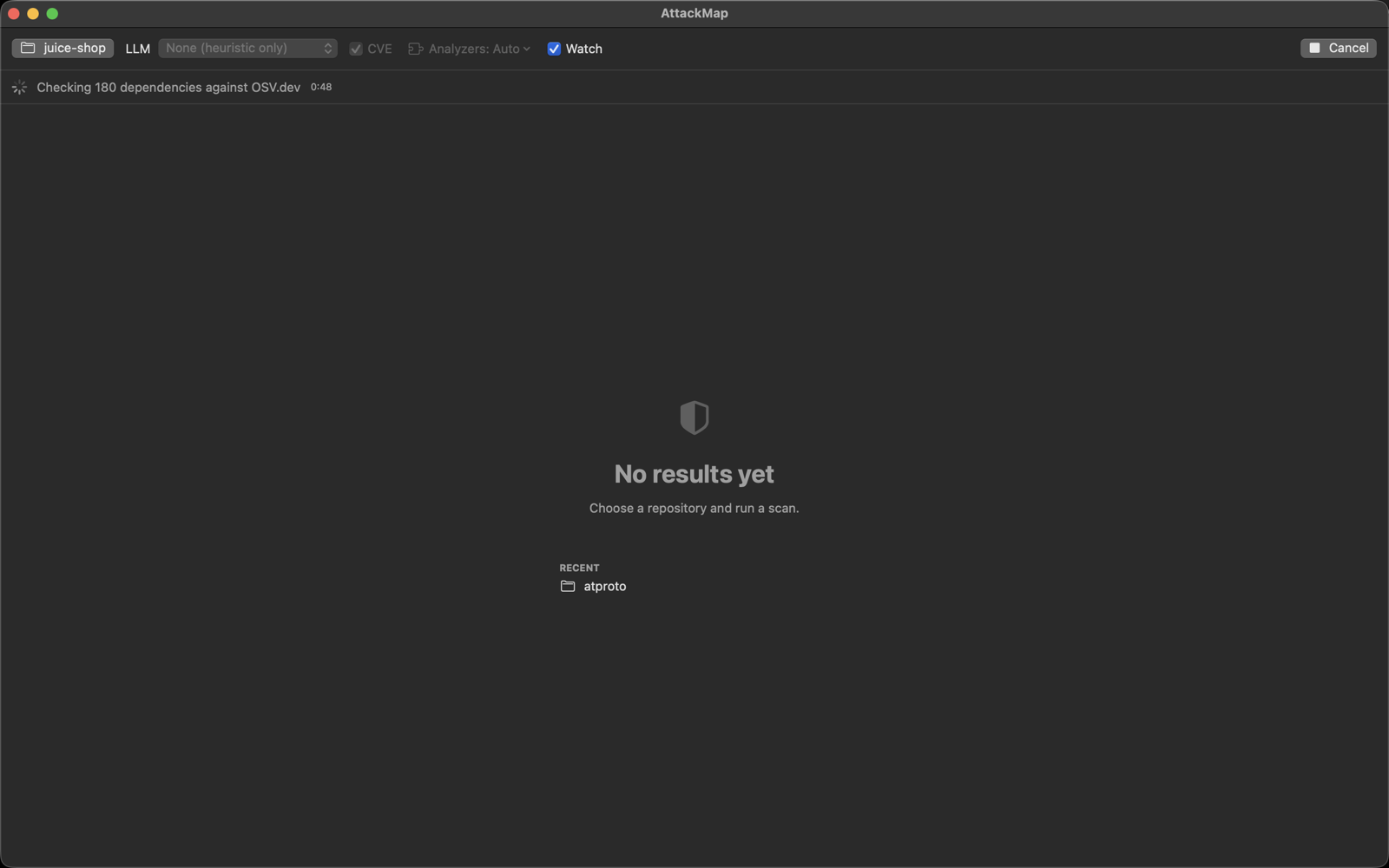
- CVE: SBOM cross-reference against OSV.dev (
--cve). - Recall mode (
--recall): wider, speculative taint discovery. The extra reach is marked speculative and kept out of the high-severity gate. - Suppression controls: ignore all suppressions for a full audit
(
--no-suppress) or point at an explicit baseline (--suppress-file). Suppressed findings still appear, collapsed, under Findings with their reason. - LLM modes: Review (
--llm), Hunt (--hunt), Hunt + verify (--hunt --verify), Remediate (--remediate) and Triage (--triage). Provider (Claude or OpenAI · Codex), model, reasoning and a Fast toggle apply to all of them. API keys are stored in your login Keychain. - Verify jury for Hunt + verify: votes (
--verify-votes), lenses (--hunt-lenses), rounds (--hunt-rounds) and a token budget (--hunt-budget). - Cross-repo / fleet scans: select two or more folders to run
attackmap analyze repoA repoB …. The fleet view shows a per-repo rollup, contract links, cross-boundary (confused-deputy) flows, trust-assumption gaps, cross-repo control anomalies and the fleet graph. - Watch mode: re-scans automatically (debounced) when files change and shows what's new and what's resolved since the previous scan.
- Result views: Overview, Findings, Exploitability, Attack paths, Attack surface, Diagrams (Mermaid, rendered offline), Review and AI Review.
- Recent scans and Settings (CLI path, API keys).
Where output goes
The app always runs the CLI with --format all and writes outside the
scanned repo, so a scan never shows up in git status:
- single repo:
~/Library/Application Support/AttackMap/scans/<repo>-<hash>/reports/ - fleet scan:
~/Library/Application Support/AttackMap/scans/fleet-<first repo>-<hash>/fleet/(one subdirectory per repo plusfleet-summary.json/.md)
The hash is derived from the repo path (or the set of fleet repos), so rescans of
the same repo reuse one directory. Reveal Reports in the status bar opens it
in Finder. These are ordinary AttackMap reports, the same files
attackmap analyze -o writes.
App versions before the next release (0.2.2 and earlier) wrote into
<repo>/.attackmap-gui/ instead; that directory can be deleted.
CLI versions
The app feature-detects the installed CLI from attackmap analyze --help. An
option the CLI doesn't support is never passed, and a mode it lacks entirely
stops with a brew upgrade attackmap hint. Feature
availability lists the minimum CLI version for each
option; the app's own thresholds are recall 0.4.20, triage 0.4.15, verify jury
0.4.16, suppression 0.4.7, fleet 0.4.22 and the OpenAI provider 0.4.3. Source
and issues: github.com/mlaify/AttackMap-mac.
Screenshots
A full run against OWASP Juice Shop, from configuring the scan to browsing exploitable paths.
Configure and run
Pick a repo, choose an LLM mode (or none for a fast heuristic-only pass), toggle CVE cross-referencing and Watch mode, then Run scan.
Live progress with a per-file bar and ETA while scanning, then the dependency CVE cross-reference against OSV.dev:
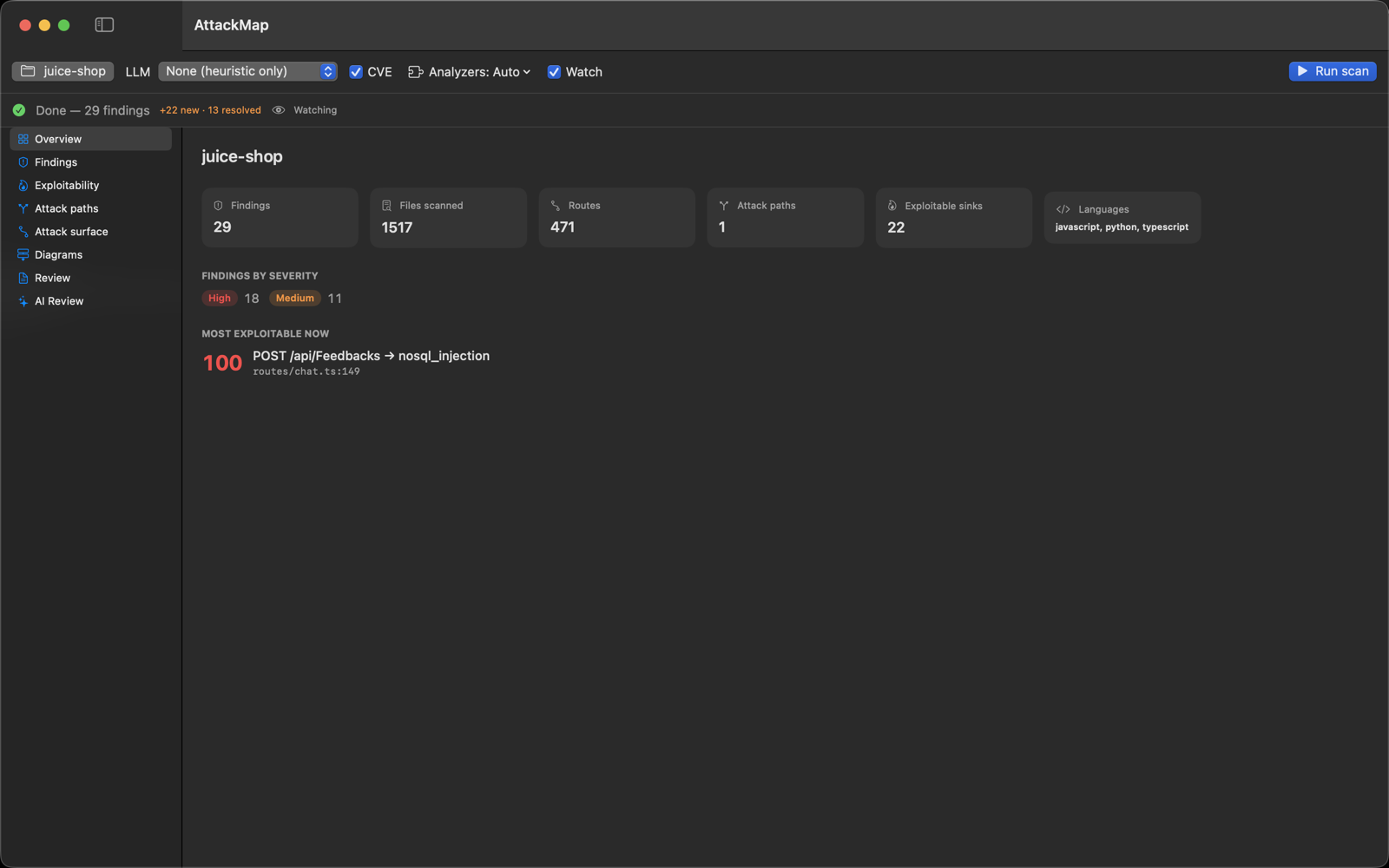
Overview
Headline counts, findings by severity, and the single most exploitable route→sink path, front and center.
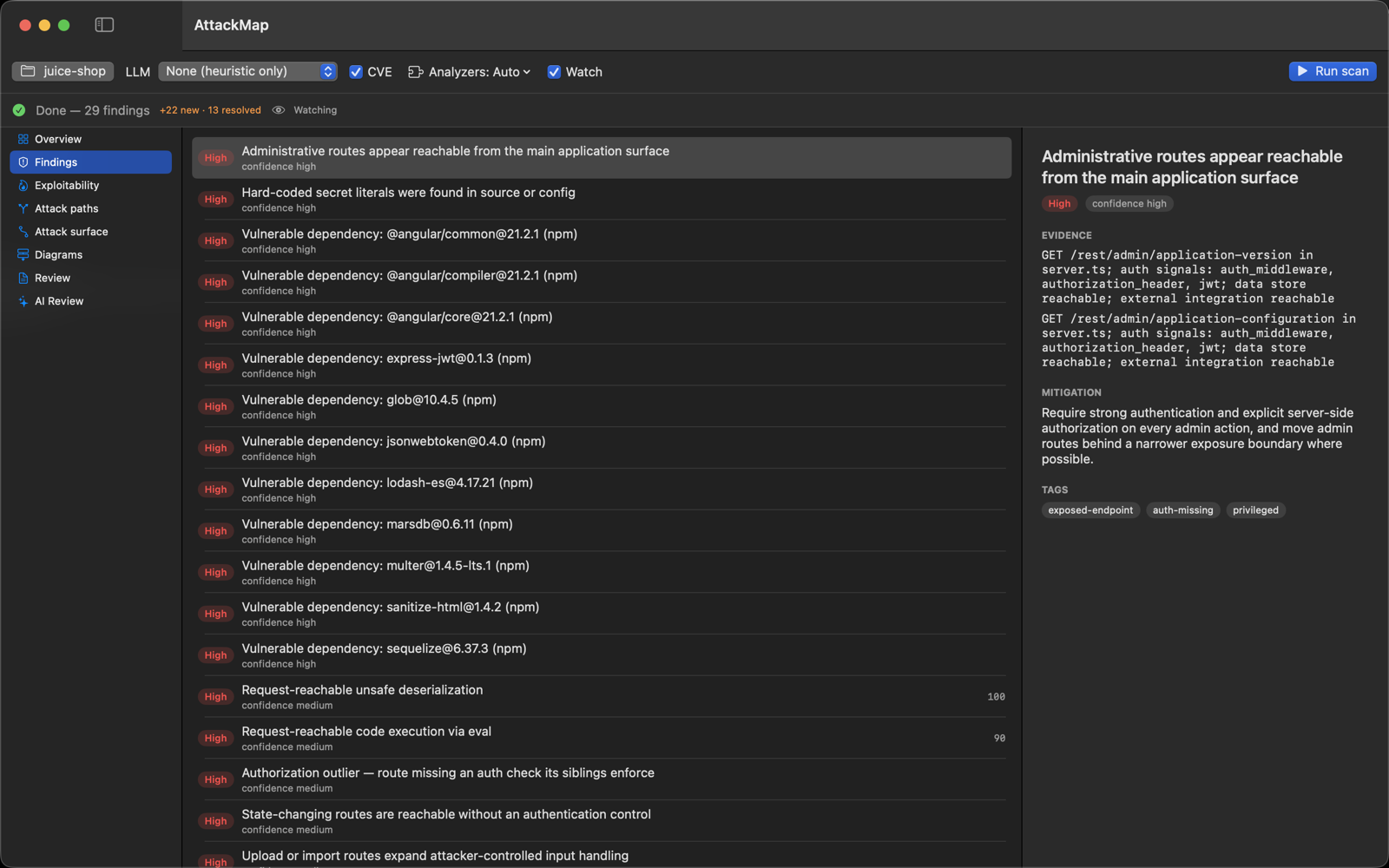
Findings
A master-detail list — every finding with its severity, evidence, remediation, and ATT&CK tags.
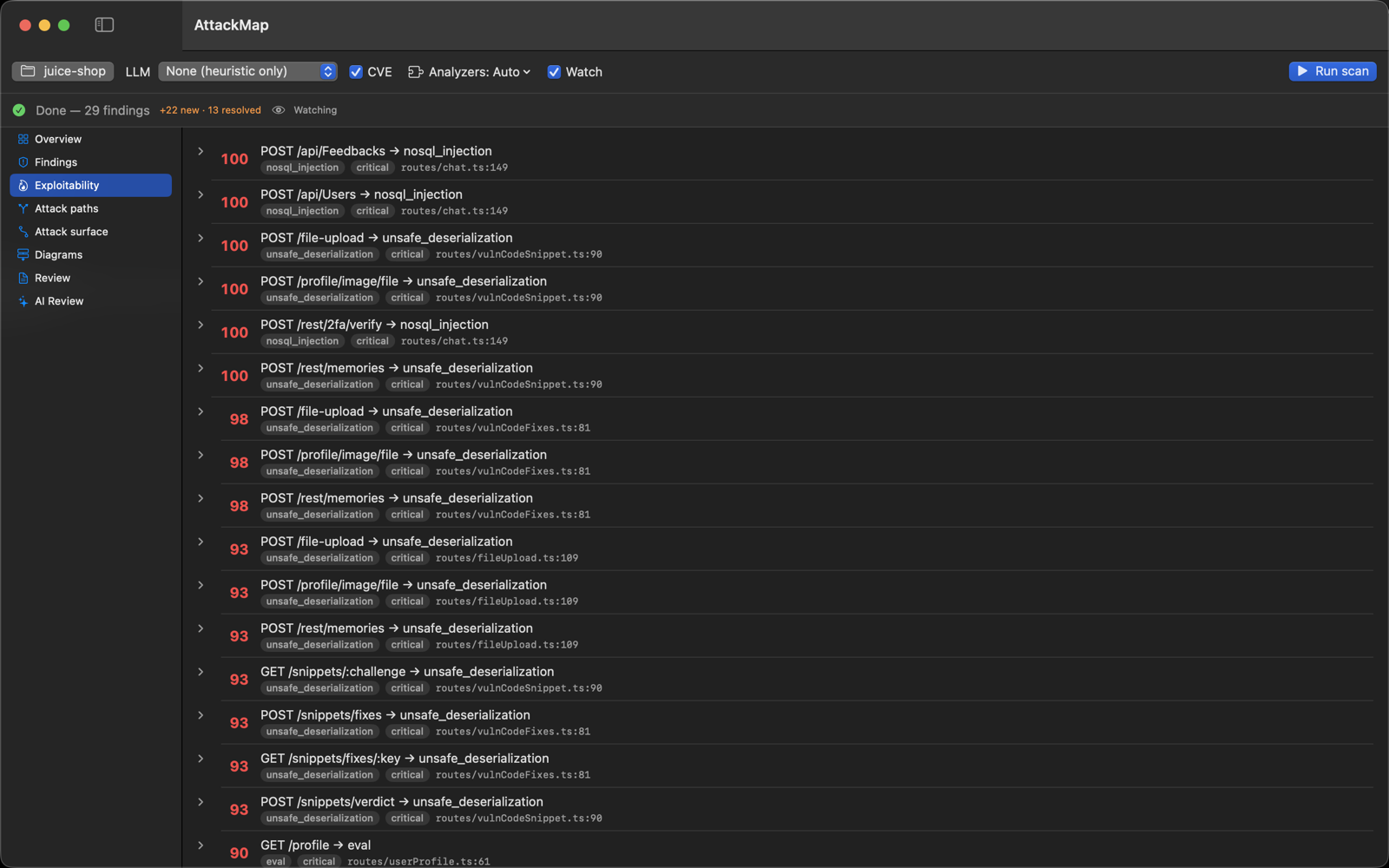
Exploitability
Route→sink paths fused and ranked by an "exploitable now" score, so triage leads with the combinations that actually matter.
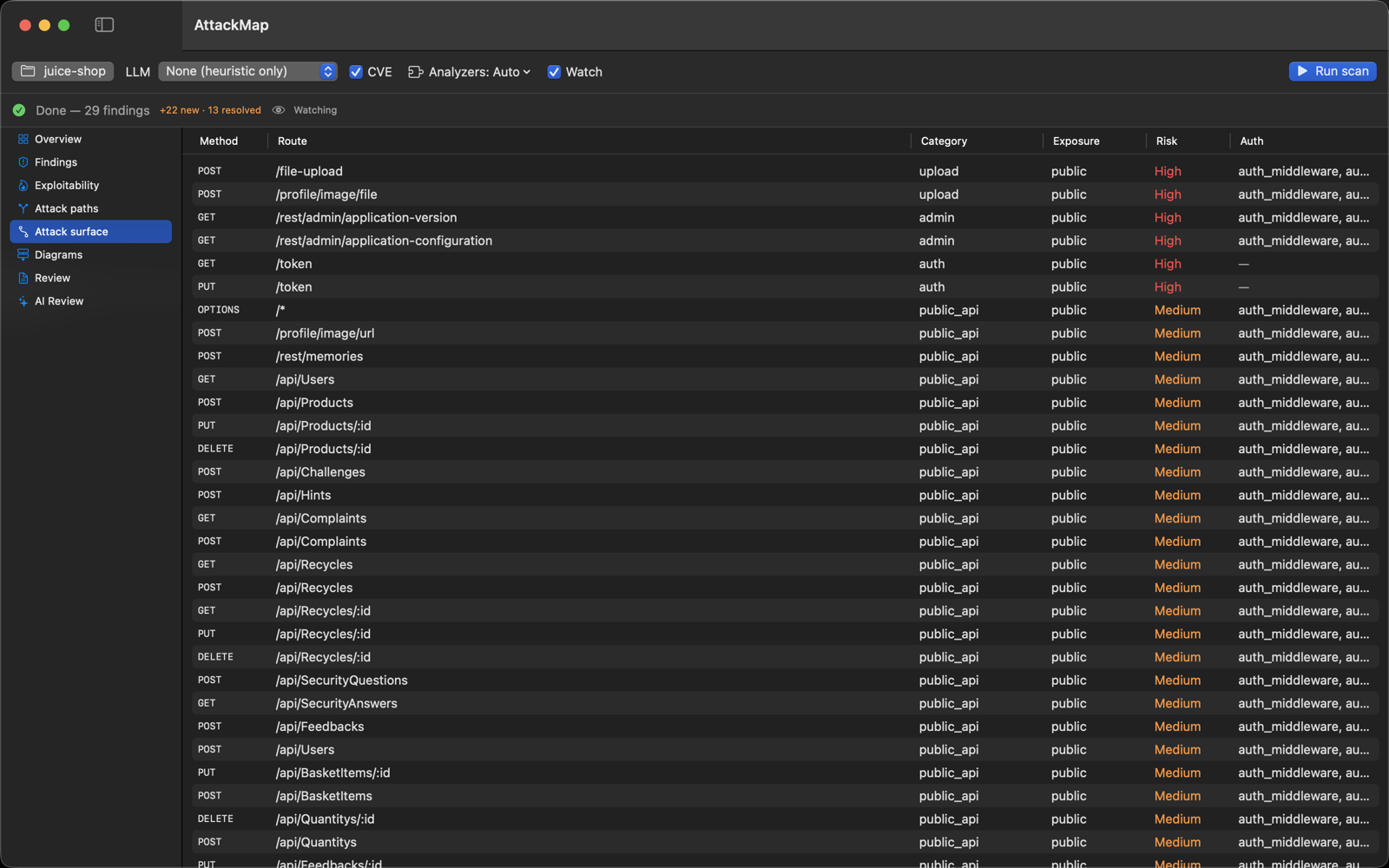
Attack surface
The full route inventory — method, path, category, exposure, risk, and the auth signals observed on each.
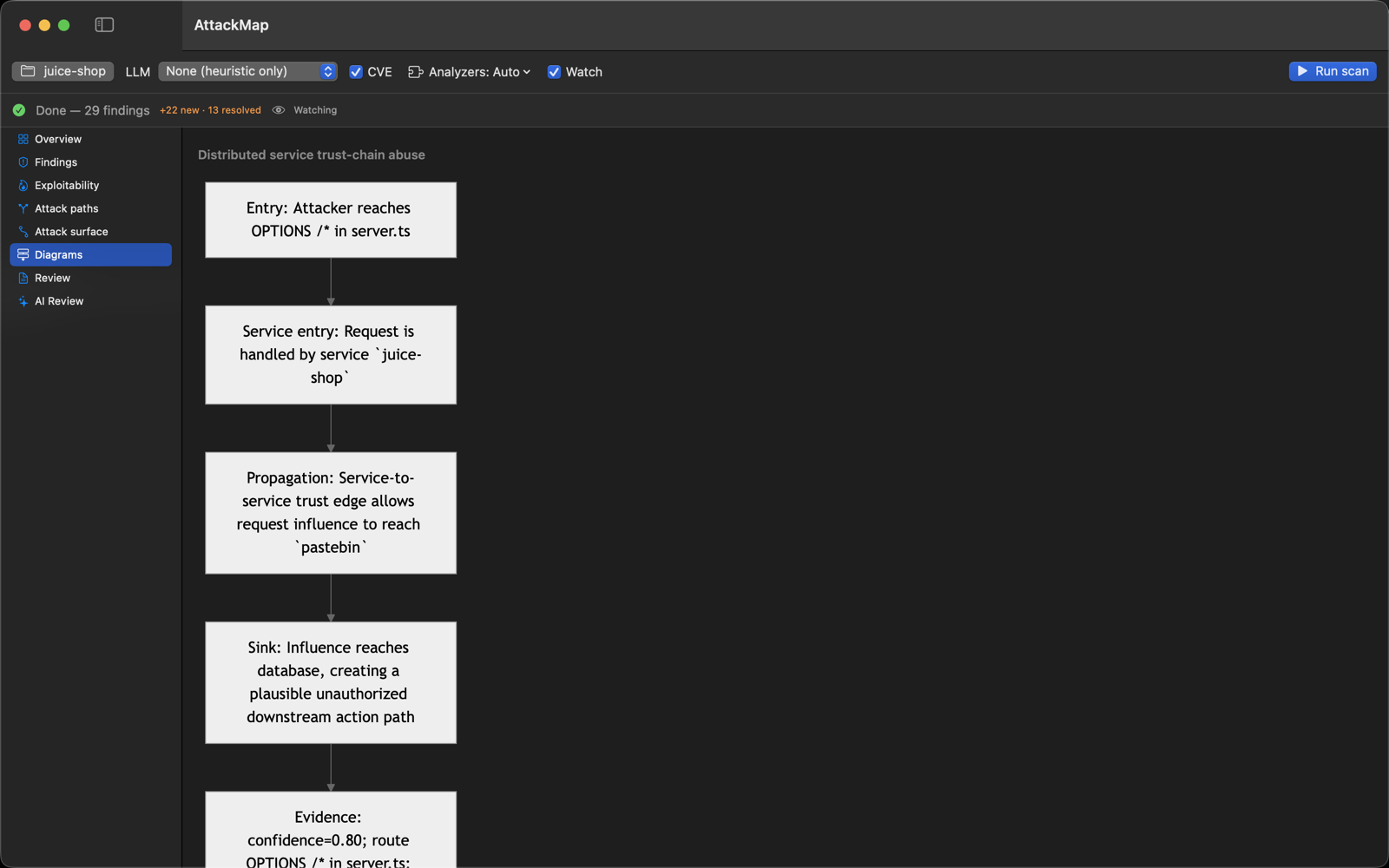
Diagrams
Attack paths rendered as offline Mermaid flowcharts (entry → service → sink).
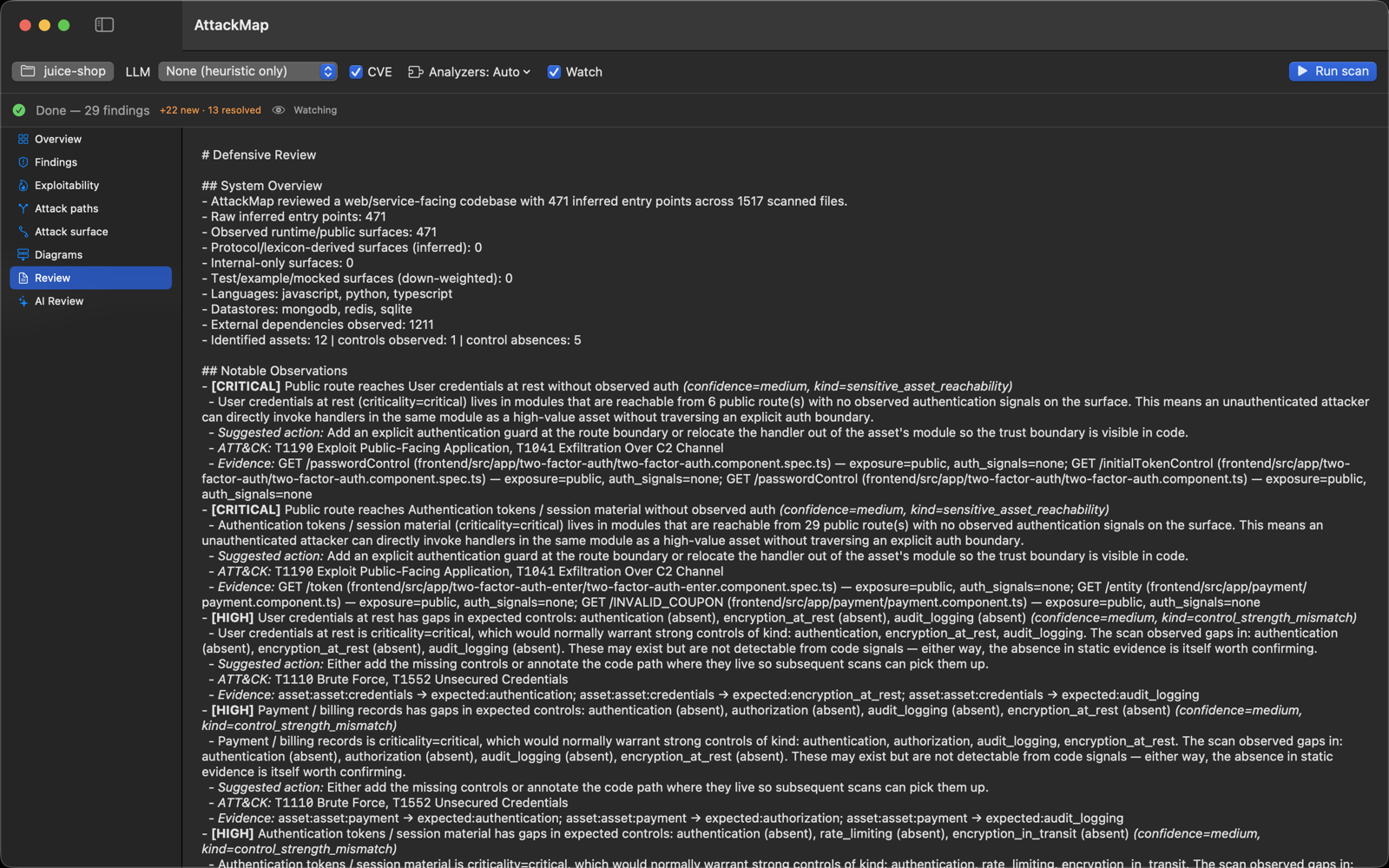
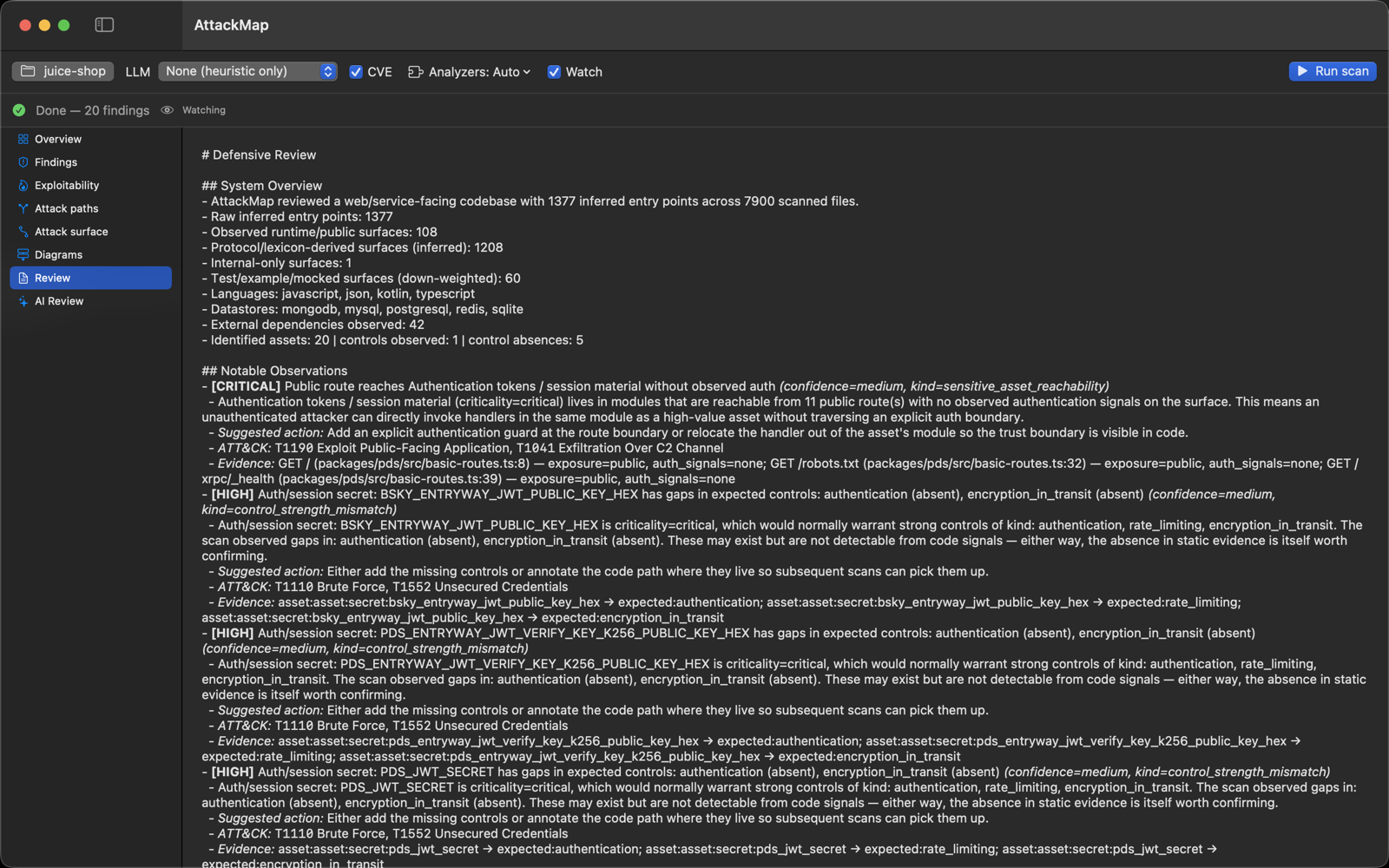
Defensive review
The full Markdown review — system overview and notable observations with suggested actions and ATT&CK mappings.